)
)
Documentation is one of the easiest parts of the day to underestimate. Across a full caseload it covers every record, written in the gaps between patients, rebuilt from memory hours later, and often finished at the kitchen table once the family is asleep. For many teams it is the work that follows them home.
Much of that time goes to moving information around. Vets retype a finished note into the practice management system, match it against the invoice, and re-enter patient details that a tool nearby already holds. Few people count this when they add up their documentation time, and a good PMS connection is built to remove it.
Key takeaways
|
Where the extra time goes
When documentation runs long, the cause is usually the friction around the work. Clinicians move between the exam room and the keyboard, restart a note after a phone call interrupts them, rebuild the details of a morning case at six in the evening, and copy information from one system into another because the two do not share it.
Copying between systems adds up quickly. A minute or two of re-entry per patient grows across a full caseload and a full week. Every hand-off also risks a mistyped detail, a missed section, or a record and invoice that no longer match. This work produces no medicine and no client value. It exists because the note sits in one place and the patient record sits in another.
Keeping the PMS you already run
Your PMS already runs the clinic. It holds appointments, patient and client details, billing, reminders, and the medical record. Changing it is rarely worth the disruption, because migrating a practice management system can mean weeks or months of retraining, data cleanup, and lost momentum for the whole team.
CoVet works with that system and leaves it in place. As CoVet's team has written about its approach, the product supports the documentation that comes out of each case and returns the finished record to the system you already use. What a connection can do varies by PMS. It may bring appointment or patient data into CoVet, send approved documents back to the file, or handle both. The aim stays the same. Less duplicate work, with the record kept where your team expects to find it.
How CoVet fits into your workflow
From the information gathered during a case, CoVet helps prepare SOAP notes, medical histories, discharge instructions, referral letters, client summaries, and follow-up communications. Each document stays a draft until the veterinarian reviews and approves it, and the patient record stays in the PMS alongside the appointments, billing, and reminders the practice relies on.
The workflow depends on the connection available for your system, and it generally follows five steps. The case begins in the PMS, where the appointment and the patient and client details are already recorded. With some direct integrations, that appointment appears in CoVet as a linked case, so no one recreates it or keys the same details twice. Where a direct integration is unavailable, the team opens or creates the case in CoVet.
CoVet then gathers the case together. During or after the appointment, the team brings in whatever the record needs, including consultation audio, dictation, phone calls, prior histories, images, PDFs, lab results, and notes from colleagues. CoVet pulls these sources into a single case and prepares a structured draft. The document follows the practice's preferred template, detail level, and style, so a general practice can use a standard SOAP note and an emergency, referral, or specialty team can use a different structure.
The veterinarian reviews the draft and confirms it reflects the history, exam, assessment, and plan. They correct details, add clinical judgment, and trim anything unnecessary before approving, which keeps responsibility for the medical record with the clinician. Once approved, the document returns to the patient file. With direct integrations it exports to the linked file, and the document types available depend on the PMS. For supported web-based systems without a direct connection, the CoVet Chrome extension moves the completed document into the right file.
What it looks like in a real appointment
Picture a routine morning visit. The patient and appointment already sit in the PMS, and the team opens a linked case or creates one in CoVet. The veterinarian talks with the client, reviews the history, examines the patient, and explains the assessment and plan. CoVet turns what it captured into a structured draft, the vet makes any changes and approves, and the finished note returns to the patient file through the workflow that PMS supports. The appointment, billing, and wider history stay where they were, and the record is done with far less time at the keyboard.
What this means for the team
Teams re-enter less information and move fewer documents by hand. A first draft is ready to review right after the consultation, so records get finished closer to the moment of care and fewer notes wait until the end of a shift. The same case can also feed related documents such as a discharge instruction or a referral letter, with no need to start over.
The results from practices already doing this are clear. Veterinarians using CoVet report saving 5 to 10 hours a week on documentation. In an eleven-practice VMG pilot, 45 percent of participating vets finished their daily documentation in under 30 minutes. Records improved too. In that pilot, veterinarians rated the completeness of their records at 4.5 out of 5 after adopting CoVet, up from 3.4 before, and colleague readability rose from 3.9 to 4.9.
Direct integration or the Chrome extension
Integration means different things across products and platforms. A direct integration can pull appointment or patient information into CoVet, return approved documents to the matching patient file, or handle both ends of the workflow. A browser-extension workflow asks a little more of the user. It moves a completed document into a supported web-based PMS, and it may not include appointment sync or the same exchange of patient data. Both options cut down manual work. The practical question for any practice is what the available connection lets your team do.
Which practice management systems work with CoVet
CoVet supports connections with widely used veterinary platforms including Avimark, Cornerstone, ImproMed, Instinct, Merlin, Provet Cloud, Vetspire, Pack Leader DVM, Digimidi, and Vettigo. A Chrome extension covers supported web-based systems without a direct integration. Capabilities vary by system, so confirm whether yours has a direct connection, what information can flow into CoVet, which documents can return, and where they land in the patient file.
What to confirm before choosing a veterinary AI tool
Because integration is used loosely, a few questions save trouble later. Check that the tool supports the exact PMS and version your practice runs. Ask whether appointment, patient, or client details become available inside the AI tool, and whether any of it has to be entered again. Confirm which documents can return to the PMS and where they appear, since a clinical note, a discharge instruction, a referral letter, and a client summary can follow different paths. Make sure exported documents keep the structure and detail your team needs, and that the veterinarian can review and edit every draft before it becomes part of the record. A small pilot across a few normal clinic days shows how a connection behaves before a wider rollout.
Secure and quick to start
CoVet was built by a team that includes more than 30 DVMs and RVTs. It meets global data standards including HIPAA, GDPR, PIPEDA, SOC 2 Type II, and ISO 27001, with clear data ownership, so your clinic keeps control of its information. Most practices are running in under a day, with onboarding handled by the CoVet team and no change to how staff already work. CoVet is free for your first two weeks.
Start your free trial or book a live demo to see how it connects to your PMS.
Frequently asked questions
Does veterinary AI replace a practice management system?
No. It helps prepare clinical records and related documents. The PMS still runs appointments, billing, client information, reminders, and the patient record.
How does CoVet connect with a PMS?
The connection depends on the system. A direct integration may bring appointment or patient data into CoVet, send approved documents back to the linked file, or handle both. For some web-based systems, the CoVet Chrome extension moves the finished document into the PMS.
Are notes added to the patient file automatically?
The veterinarian reviews and approves every document first. What happens after approval depends on the connection available for that PMS.
Who is responsible for the medical record?
The veterinarian. They confirm the document accurately reflects the case before it becomes part of the patient record.
What information can CoVet work from?
Anything gathered during the case, including consultation audio, dictation, phone calls, histories, files, images, and lab results.
Can a practice use CoVet without a direct integration?
Yes. You can create and review documentation in CoVet without one, and for supported web-based systems the Chrome extension moves the finished document into the file.
How much time does it save?
Veterinarians using CoVet report saving 5 to 10 hours a week on documentation. Results vary by clinician, caseload, and workflow.
About the Author
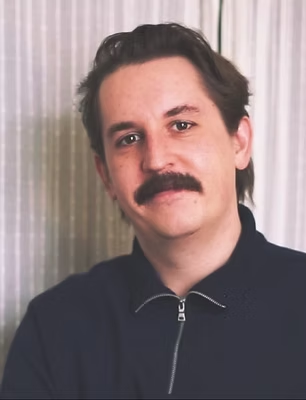
Iain MacNeil
Iain MacNeil is the Content Manager at CoVet. He's the one behind most of what you read here (the copy, the guides, the launch emails, the brand voice) and he's spent the last ten-plus years turning complicated things into stuff people actually want to read. He studied Creative Writing at Concordia, lives in Montreal, and can still land a kickflip despite being in his mid-30s.
)
)
)